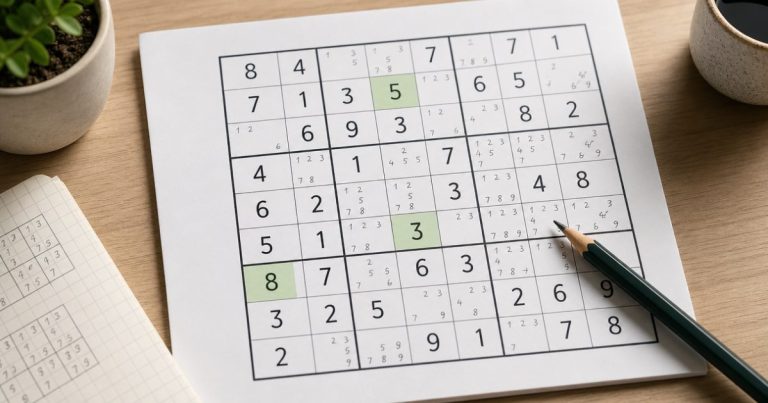
Sudoku Online is solved by filling a 9×9 grid so that every row, column, and 3×3 box contains the numbers 1 through 9 exactly once. You don’t need maths skills or complicated calculations. Each move comes from checking which numbers are already used and eliminating them from an empty cell.
If you’re new to the game, start with an Easy puzzle. Look for cells where only one number can fit, use notes when several numbers are possible, and repeat the process. A correct Sudoku solve is based on logic rather than random guessing.
Understand the three Sudoku rules
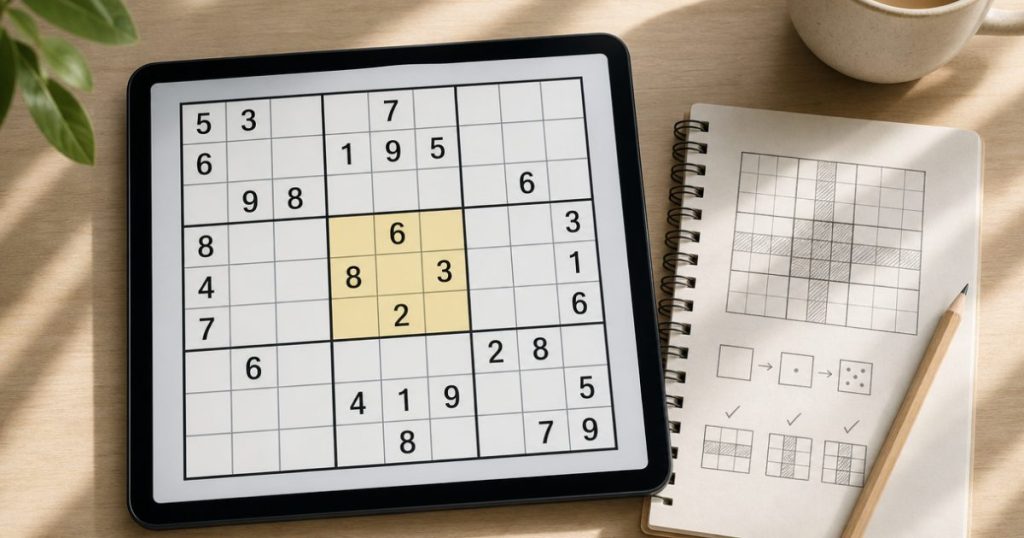
A standard Sudoku grid has 81 cells arranged in nine rows, nine columns, and nine 3×3 boxes. The same three rules apply throughout the puzzle:
- Each row must contain the numbers 1 through 9 once each.
- Each column must contain the numbers 1 through 9 once each.
- Each 3×3 box must contain the numbers 1 through 9 once each.
A number cannot appear twice in the same row, column, or box. The puzzle is complete when all 81 cells are filled and all three rules are satisfied.
Learn the difference between clues and empty cells
The numbers already printed in the puzzle are called givens or clues. They are fixed and cannot be changed. Empty cells are the spaces you need to solve.
A clue gives you information about nearby cells. For example, if a 3×3 box already contains 1, 2, 4, 6, and 8, its empty cells can use only the remaining numbers: 3, 5, 7, and 9. The row and column of each empty cell narrow those choices further.
Check all three parts of the grid before placing a number
To evaluate an empty cell, check its row, its column, and its 3×3 box. A number is a valid candidate only if it is missing from all three.
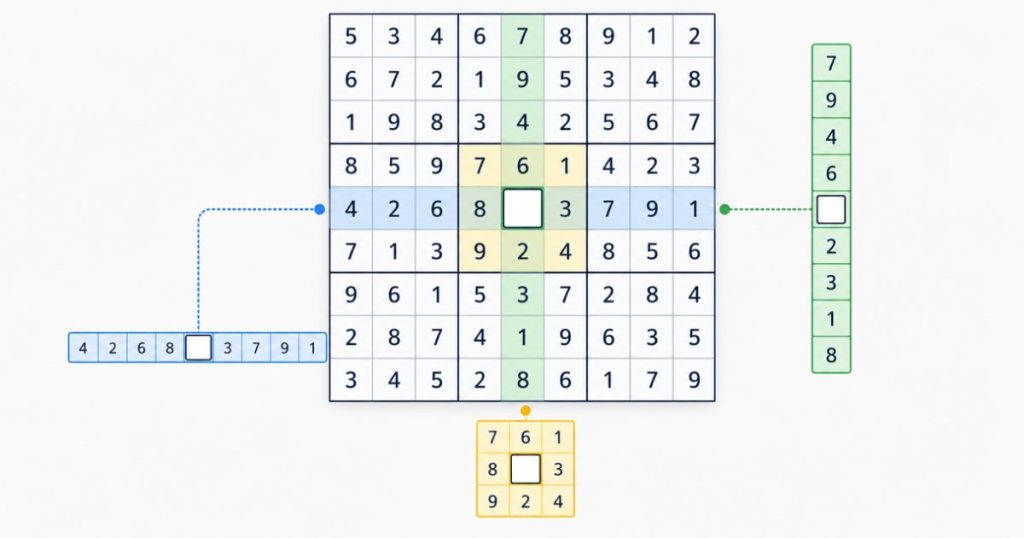
Imagine an empty cell whose row already contains 1, 4, 6, and 8, whose column contains 2, 5, and 9, and whose 3×3 box contains 3 and 7. Together, those three areas contain every number from 1 through 9 except one. That remaining number is the only possible answer for the cell.
In a real puzzle, you may need to compare several candidates, but the method is the same. Never place a number just because it is missing from one row. The column and box must allow it too.
Follow a simple first-game solving routine
- Scan for missing numbers. Look across each row, column, and 3×3 box. Start with areas that already have many numbers filled in.
- Place obvious singles. If an empty cell has only one possible number, enter it.
- Add notes when a cell is uncertain. Record the numbers that could fit instead of choosing one at random.
- Rescan the puzzle. Every confirmed number changes the possibilities in its row, column, and box.
- Look for numbers with one location. A number may have only one possible cell within a particular row, column, or box, even when that cell has several candidates.
- Repeat the cycle. Easy puzzles often open up gradually as each confirmed number provides new information.
After placing a number, remove it from the notes of nearby cells in the same row, column, and box. Outdated notes can make a solvable puzzle look more confusing than it is.
Recognize naked singles and hidden singles
Naked singles
A naked single is an empty cell with only one candidate left. If checking the row, column, and box eliminates every number except 6, that cell must contain 6.
This is usually the easiest move for a beginner to spot. Check cells one at a time and write down their candidates when necessary.
Hidden singles
A hidden single occurs when a particular number has only one possible location in a row, column, or box. The cell may still have several candidates, but one of those candidates can appear nowhere else in that group.
For example, suppose a 3×3 box needs the numbers 2, 5, and 9. Several cells may accept 2 or 5, but only one cell can accept 9. That cell must contain 9. The answer is “hidden” because the cell itself does not have just one candidate.
Use notes to track candidates
Notes, also called pencil marks, are small candidate numbers written inside an empty cell. They help you keep track of what is still possible while you work through the grid.
A note means “this number could fit here,” not “this number belongs here.” Confirm it only when elimination proves the answer or a valid solving pattern identifies it. Add notes to cells that are difficult to evaluate, then update them whenever you place a confirmed number.
Online Sudoku games often provide a notes mode. Select the cell, switch to notes if that option is available, and enter the possible numbers. On paper, write candidates small enough to edit. In either format, keep notes current and remove candidates that are no longer allowed.
What to do when you get stuck
Getting stuck usually means the next useful move is less obvious, not that you should immediately guess. Use this checklist:
- Check whether every candidate list is still accurate.
- Scan one number at a time across the 3×3 boxes. Ask where that number can go in each box.
- Review rows and columns with only a few empty cells.
- Search for a hidden single: a number with only one possible location in a group.
- Recheck your most recent entries for a missed conflict.
Easy puzzles can often be solved with singles and careful elimination. More difficult puzzles may require advanced techniques, so don’t judge your ability by how quickly you finish a harder level. Difficulty describes the puzzle’s logical demands, not your skill level alone.
Guessing can be used in some advanced solving approaches, but it is not a good starting habit. An unsupported guess can create several hidden errors and make it difficult to find where the puzzle went wrong.
Start a Sudoku game online on a phone or computer

To begin, choose a Classic Sudoku puzzle and select an Easy difficulty if you’re new. A browser-based game should let you select a cell and enter a number using the keyboard, number controls, or touch input, depending on your device.
Notes mode is useful for recording candidates. A hint can help you past a difficult step, but try to understand why the suggested number works. Mistake checking may warn you when an entry conflicts with the puzzle’s solution or with an existing rule. A timer can track your session, but it doesn’t need to control your pace.
On a phone, tap a cell and use the on-screen number controls. On a computer, clicking a cell and using the keyboard may be faster. If you make an error, erase it, inspect the affected row, column, and box, and continue from the last position you know is correct.
A practical checklist for your first puzzle
- Choose an Easy Classic Sudoku.
- Find a row, column, or box with many filled numbers.
- List the numbers that are missing.
- Check each empty cell against its row, column, and box.
- Place a naked or hidden single.
- Write notes for uncertain cells.
- Update nearby notes after every confirmed entry.
- Rescan the grid before using a hint.
- Move to a harder difficulty when Easy puzzles feel comfortable.
Frequently Asked Questions
How many numbers go in each Sudoku row, column, and box?
Each row, column, and 3×3 box contains the numbers 1 through 9 exactly once.
Should beginners guess when they get stuck in Sudoku?
Usually not. Recheck candidates, scan rows, columns, and boxes, and look for singles first. Guessing can create errors that are difficult to trace.
What difficulty should a new Sudoku player choose?
Start with Easy Classic Sudoku. Move to Medium or harder puzzles after you can consistently find singles and maintain accurate notes.
The key habit is simple: before placing any number, verify its row, column, and 3×3 box. Start with obvious singles, use notes to preserve possibilities, and rescan after every confirmed move.
Choose an Easy online puzzle and treat each entry as a deduction rather than a guess. Once that process feels natural, increase the difficulty gradually and learn more advanced techniques when basic scans no longer reveal the next move.