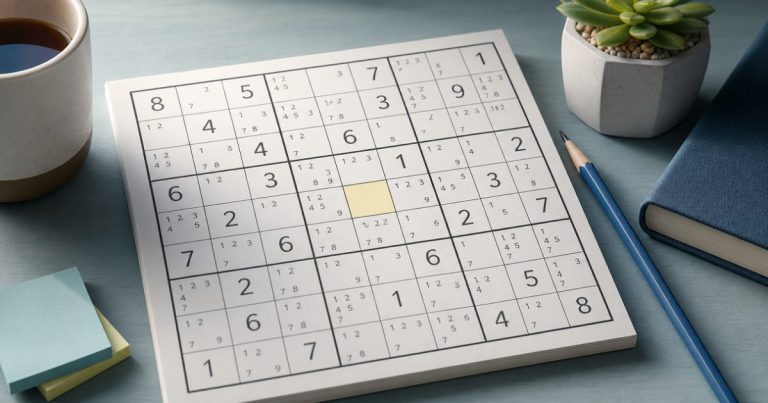
Pencil marks help when they reveal a deduction. They get in the way when you add them automatically, leave old candidates in place, or spend more time managing notes than solving the puzzle.
Start with basic scanning and immediate placements. Once rows, columns, boxes, and singles stop giving you an obvious move, add a few verified candidates to cells that matter. Keep those notes current, use them to find a forced number or useful pattern, and erase them when they stop helping.
What Sudoku pencil marks actually mean

A pencil mark is a candidate number: a number that could legally go in an unsolved cell based on the information currently visible in the grid. It isn’t a guess, prediction, or partial answer. It simply records a possibility that hasn’t been ruled out.
For example, suppose an empty cell is in a row containing 1, 4, and 8, a column containing 2 and 6, and a 3×3 box containing 3 and 9. Those numbers are excluded, leaving 5 and 7. You can mark the cell 5, 7.
Both candidates are legal at that moment, but neither is confirmed. A candidate becomes a placement only when the surrounding logic proves that it must go there.
How to calculate a valid candidate list
Use the same three checks for every cell:
- List the numbers already present in the cell’s row.
- Remove the numbers already present in its column.
- Remove the numbers already present in its 3×3 box.
Any number from 1 through 9 that survives all three checks is a valid candidate. This process is often called candidate elimination.
Check all three units before writing anything. A number may be absent from the row but still be forbidden by the column or box. Likewise, a candidate that looks possible in isolation may be impossible once you consider the box.
Calculate notes from the current grid instead of copying candidates from a nearby cell. A copied list may contain a number that’s legal in one location but blocked in another.
When to start making notes
Don’t fill every empty cell as soon as you open a puzzle. First scan for numbers that can be placed immediately. Look across rows, down columns, and through each 3×3 box. Check for cells with only one legal number and for units where a particular number has only one possible location.
When those basic scans stop producing progress, add notes selectively. Start with a row, column, or box that’s close to completion, or with a cell that has only two or three plausible candidates. This gives your notes a purpose instead of turning the whole grid into a wall of small numbers.
Beginners often benefit from this delayed approach because it reinforces visual scanning. On easy puzzles, try solving as long as possible without notes. On harder puzzles, use them earlier when the number of open possibilities makes mental tracking unreliable.
For a more detailed explanation of candidate elimination and singles, see the Sudoku candidate method explained step by step.
Selective notes versus full candidate notation
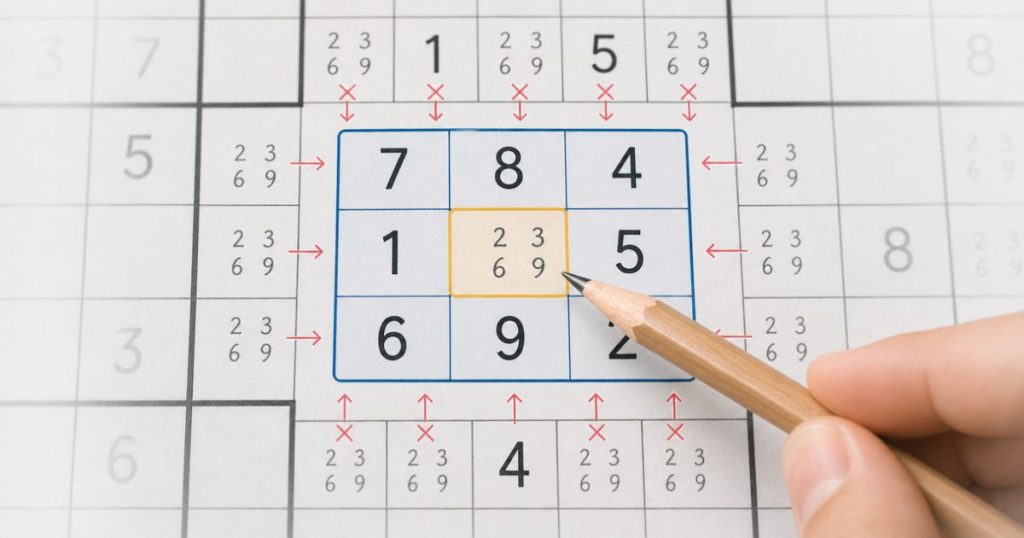
There are two common ways to use pencil marks.
Selective pencil marks
With selective notation, you mark only the cells or units connected to your current line of reasoning. You might note two candidates in a nearly complete box or record possible locations for the number 6 in one column.
This keeps the grid clean and makes important relationships easier to see. It works well for easy and medium puzzles, quick solving, and players who can hold some possibilities in mind. The limitation is that you may miss a pattern elsewhere because that area hasn’t been annotated.
Full candidate notation
With full notation, you calculate candidates for almost every empty cell. This creates a complete map of the remaining possibilities. It can help on difficult puzzles where progress depends on pairs, triples, or several connected eliminations.
The trade-off is maintenance. Every placement can affect many cells, and one stale or incorrect mark can make a false pattern look convincing. Full notation isn’t automatically more logical or more advanced. It’s simply more detailed, and detail has a cost.
A practical compromise is to begin with selective notes and expand to fuller notation only when the puzzle requires it.
Turn notes into deductions
Pencil marks are most valuable when they turn an unclear grid into a specific deduction.
Naked singles
A naked single is a cell with only one remaining candidate. If a cell contains 7 as its only note, 7 must go there. This is the most direct result of candidate elimination.
After placing the 7, remove it from the candidate lists of every cell in the same row, column, and 3×3 box. That update may create another naked single.
Hidden singles
A hidden single occurs when a number appears as a candidate in only one cell within a row, column, or box. The cell may still contain several notes, but that number has only one legal home in the unit.
For example, if 4 appears in the candidate lists of several cells in a box but only one of those cells is compatible with the other restrictions, place 4 there. The cell’s other candidates are eliminated because the unit needs one 4 and has only one location for it.
The difference matters: a naked single is the only candidate left in a cell; a hidden single is the only position left for a number in a unit.
Naked pairs and larger groups
A naked pair occurs when two cells in the same row, column, or box contain the same two candidates, such as 2, 8 and 2, 8. Those numbers must occupy those two cells in some order, so 2 and 8 can be removed from other cells in that unit.
The pair doesn’t tell you which cell receives which number. It’s an elimination tool. The same idea can extend to triples when three cells collectively contain only three candidates, although larger groups are harder to spot and easier to misread.
Notes should point you toward a deduction. If you can’t explain what a group of marks is telling you, pause and rescan instead of adding more numbers.
A clean pencil-mark workflow
- Scan first. Check rows, columns, boxes, obvious singles, and restricted positions before writing notes.
- Choose a target. Focus on a nearly complete unit, a cell with few possibilities, or a number with limited locations.
- Add only verified candidates. Eliminate numbers from the cell’s row, column, and box before recording the survivors.
- Look for a deduction. Check for naked singles, hidden singles, pairs, or another clear restriction.
- Place a confirmed number. Don’t promote a candidate merely because it seems likely.
- Update affected notes immediately. Remove the placed number from related cells in the same row, column, and box.
- Rescan the changed units. A new single or pair may appear after one small update.
- Clear obsolete notes. If a candidate is no longer possible, erase it instead of leaving cleanup for later.
This workflow prevents a common mistake: continuing to reason from a candidate list that describes an earlier version of the puzzle.
Signs that pencil marks are slowing you down

Notes create overhead when they no longer support a specific question or deduction. Watch for these warning signs:
- You annotate every empty cell before looking for simple placements.
- You repeatedly recalculate the same candidates without making a deduction.
- The grid is so crowded that you can’t see the original numbers clearly.
- You copy candidates from one cell to another without checking all three units.
- You keep old candidates after placing a number.
- You treat a candidate as a likely answer instead of a legal possibility.
- You search for complicated patterns because the notes feel productive, even though a basic scan may have been skipped.
When this happens, erase notes from solved or nearly solved areas and return to scanning. You can also keep only two-candidate cells, notes connected to a particular unit, or candidates involved in a pattern you’re actively testing.
Too many notes can make the puzzle harder to see. Too few can hide a useful relationship on a difficult grid. The right amount is enough to reduce uncertainty without creating a second puzzle made of note maintenance.
Using pencil marks on paper and digital Sudoku
On paper, use a consistent location for each small number inside a cell. Write lightly so candidates can be erased cleanly. If a page becomes crowded or difficult to correct, rewriting the grid may be faster than trying to interpret layered marks.
In a digital game, select a cell, enter the candidates that survive your checks, and remove affected candidates as soon as you place a number. A notes mode can reduce writing effort, while mistake checking can alert you to an invalid placement. These features should confirm or organize your reasoning, not replace it.
Mobile screens make clutter more difficult to read, so selective notes may be more comfortable on a phone. Desktop screens offer more space for fuller notation. If the game includes hints, use one after checking the relevant row, column, box, and candidate lists yourself. A hint is most useful when it explains a deduction you could learn to recognize next time.
If your notes lead to a contradiction, don’t assume the candidate technique failed. Check the last confirmed placement first, then review the affected row, column, and box. A mistaken number can invalidate many correct candidate lists. If the placements are sound, look for a candidate that was copied or retained after it became impossible.
Should beginners use pencil marks on every empty cell?
Usually, no. Beginners can build stronger scanning habits by solving easy puzzles with few or no notes, then adding candidates only when a cell or unit becomes genuinely uncertain.
Full notation becomes more useful as puzzles get harder and more deductions depend on interactions across the grid. Even then, annotate with care. The goal isn’t to make every cell look complete; it’s to make the next logical step easier to see.
A useful practice routine is to solve one easy puzzle with minimal notes, then use deliberate candidate notation on a harder puzzle. Compare which marks helped and which only added clutter. This develops judgment as well as technique.
Frequently Asked Questions
How often should Sudoku pencil marks be updated?
Update them after every confirmed placement that affects the same row, column, or 3×3 box. Immediate updates prevent stale candidates from creating false deductions.
What should I do if my pencil marks create a contradiction?
Review the most recent confirmed placement and the candidates it affected. Check for an incorrect placement, a copied candidate, or a note that should have been erased. A contradiction doesn’t necessarily mean the whole method is wrong.
Are digital Sudoku notes better than paper pencil marks?
Neither is universally better. Digital notes are easier to edit and can work well on a desktop or mobile device, while paper may make relationships easier to see for some players. Choose the format that lets you keep candidates accurate and readable.
Use pencil marks when your eyes or memory can no longer track the remaining possibilities, but add them with a purpose. Verify each candidate against the row, column, and box, then update or erase it whenever the grid changes.
The simplest test is practical: if a note helps you place a number or eliminate a possibility, keep it. If it only makes the grid busier, remove it and return to scanning.